Direct answer
To apply a blueprint in Big Ambitions, add it to My Library, contact the installation firm for your building type, then select the target address, date and design. Keep enough money available on the installation day. Save or move anything you want to keep first: installation sells the old furniture and inventory. The steps below cover downloaded layouts, Workshop synchronization and creating your own blueprint.
Apply a downloaded blueprint in four steps
Use this route when you already have a layout and want to install it in a building. My Library stores the design; an installation firm applies it.
Installation sells the previous furniture and inventory. Move what you want to keep before the scheduled day.
- 1. Open Blueprints → Gallery, choose a layout matching the building type and size, and select Add To Your Library. If a subscribed layout is missing, open My Library and use Sync to workshop.
- 2. Contact the matching firm: Kingdom Office for offices; Nugem Interiors for residences; Kristian Bahood for retail; Stonegood Architecture for warehouses and factories. Visit and speak with the manager before using the phone service.
- 3. Select the target address, installation date and blueprint design, then confirm the order. Adding a design to My Library alone does not install it.
- 4. Before the scheduled day, move furniture and stock you want to keep and retain enough money for installation. Payment is taken that day; insufficient funds cancel the job.
Create a blueprint in the correct place
The dedicated Blueprint Creator is not opened from the live game world. From the Main Menu, select Blueprints and use Open Blueprint Creator in the upper-left area. Official EA 0.9 news confirms this creator and describes tools for placing and arranging items quickly. Its duplicate tool can copy an object together with attachments, such as a desk setup containing a chair, computer and mousepad, which helps reproduce complete workstations without rebuilding each attachment separately.
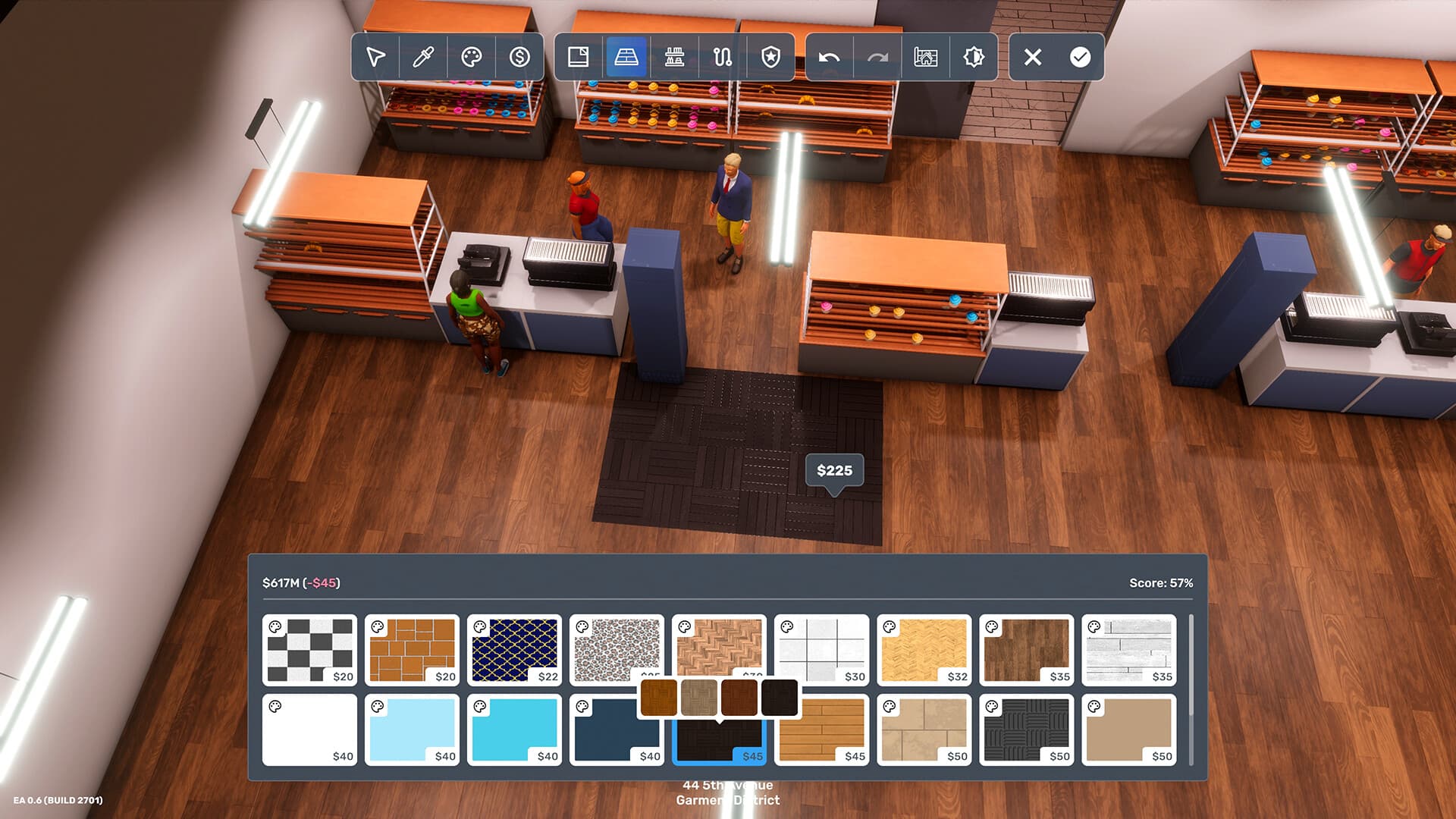
You can also capture an interior you already built. Enter the business, apartment or warehouse, finish the walls, floors and furniture you want included, open Interior Designer, select Save layout as blueprint, name the layout and save it. Before installation, match the saved design to the target's building type and size.
- Open Blueprint Creator from Main Menu → Blueprints.
- Use duplicate to copy objects with attachments.
- For an existing interior, open Interior Designer.
- Choose Save layout as blueprint, name it and save.
- Verify building type and size before installation.
Add layouts to My Library and synchronize Workshop content
Open Blueprints from the Main Menu, or press ESC and choose Blueprints while playing. Gallery contains publicly available blueprints; My Library contains layouts you created and layouts you added. Gallery filters include price, building type, building size and business type. Select a public layout and use Add To Your Library. A library entry is the stage between finding a design and asking an installation firm to apply it; merely viewing a Gallery entry does not install it.
If expected layouts do not appear or the list does not load, use Sync to workshop and allow synchronization time. The older guide warns that downloading outside the game did not work at that time, but official EA 0.9 news later states that Steam subscriptions are recognized in the library without an in-game redownload. Follow the newer behavior first: subscribe through Steam, open the library and synchronize if it is missing. The same official update says creators can edit and reupload a blueprint to its existing Workshop entry rather than creating a new entry.
- Gallery shows public layouts.
- My Library contains created and added layouts.
- Use Add To Your Library before installation.
- Use Sync to workshop when entries are missing.
- Steam subscriptions should be recognized without an in-game redownload.
- Existing Workshop entries can receive updated blueprint uploads.
Install through the firm for the target building
Installation is a contracted service, not an instant action from My Library. Visit the appropriate Interior Installation Firm during opening hours, or call after previously visiting and speaking with its manager. Select the address of the building that will receive the layout, choose the installation day, select your blueprint as the design and confirm. The installation is performed on the scheduled date, and the money is deducted then rather than when the order is placed. Insufficient funds on that date cancel the installation.
Use the firm matching the building category. The blueprint guide assigns Kingdom Office at 43 4th Avenue to offices and Nugem Interiors at 11 1st Avenue to residences. Official EA 0.9 news says Kristian Bahood continues to handle retail blueprints, while Stonegood Architecture in Industry City handles warehouse and factory blueprints and offers basic default factory layouts. This newer official distinction supersedes the older guide’s overlapping warehouse assignment. Firms can be located through their Voogle map filter.
- Choose the firm for the building category.
- Select the exact target address.
- Choose an installation date and blueprint design.
- Keep enough money available on the installation date.
- Use Stonegood for warehouse and factory blueprints in the newer official workflow.
- Use Kristian Bahood for retail blueprints.
Troubleshoot by stage and protect the target interior
Separate library problems from installation problems. If a subscribed design is absent, confirm that you opened My Library rather than Gallery, then run Sync to workshop and wait. If it appears but cannot be selected for a job, verify the target's building type and size and contact the firm responsible for that category. If an accepted job does not execute, check the scheduled date and available bank balance.
Installation is destructive to the existing interior: the blueprint guide says furniture and inventory inside the selected building are emptied and sold to make room for the new contents. Move anything you intend to retain before confirming the job and treat the target address as the critical final check. Official patch notes have fixed blueprint-related issues over time, including recognition, previews, factory deliveries and creator behavior, so after an update distinguish a changed feature from a local sync, classification, funding or scheduling problem.
- For missing layouts, check My Library and synchronize.
- For selection problems, verify type, size and installation firm.
- For missed jobs, check date and bank balance.
- Move anything you want to retain before installation.
- Confirm the target address immediately before ordering.
- Recheck official version behavior after patches.
Frequently asked questions
Where do I open Blueprint Creator?
Open Main Menu → Blueprints and select Open Blueprint Creator in the upper-left area. It is not opened from inside the live game world.
Why is my Steam blueprint missing from My Library?
Open My Library, use Sync to workshop and allow time for synchronization. The newer official workflow says Steam subscriptions should be recognized without redownloading them inside the game.
What happens to the furniture already in the target building?
The documented installation process empties and sells existing furniture and inventory to make room for the blueprint. Move anything you want to preserve and confirm the target address before ordering.